Showing posts with label Curriculum/Resource Show and Tell. Show all posts

Wednesday, November 11, 2015

Review: Grapevine Studies (Bible Study Curriculum)

Bible study has always been done very simply in our homeschool. Immediately after breakfast, we read a passage of Scripture and I ask SA(7) to tell the story back to me. Then we may talk about it a little. We review our memory work, usually a passage with several verses such as a psalm. When I received Grapevine Studies to use and review, it was hard for me to take a break from our tried-and-true method of narration and try something new. However, it solved a problem that I've been having for a little while; keeping all of my children engaged in the Bible story at once, and I think I've learned some lessons from that!


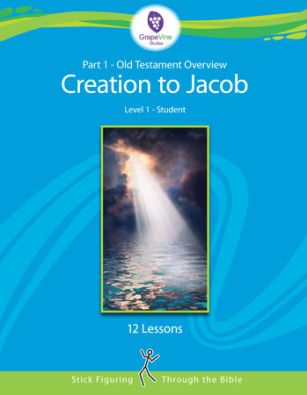
We received Grapevine Studies Old Testament 1: Level 1 Creation to Jacob as PDF e-books of a teacher's manual and a traceable student workbook for ages three to five.

Grapevine Studies teaches a timeline first in its Old Testament Overview, and then the individual stories within the timeline. The timeline is then reviewed repeatedly between stories so that children begin to have a strong concept of the order of events throughout the Old Testament.

The Bible Stories themselves are taught using "stick figuring" --simple line drawings done by the teacher and copied by the students. In the traceable workbook, children trace the line drawings.

Lessons can be done once a week, or divided over four days. A typical lesson at this level has:
- A review of the timeline
- Eight short passages of Scripture to read and stick-figure (two per page on our traceable student worksheets)
- One or two very short memory verses to learn
- Seven or eight review questions

How We Used it

I used the traceable student worksheets for Old Testament 1: Level 1 Creation to Jacob with three of my boys. SA(7) is a bit behind in his pencil skills, so using the traceable worksheets was appropriate for him. JJ(5) probably could have copied my stick figures without tracing, but he enjoyed it anyway. I'm not sure MM(3) got too much out of the stories, but he did love participating and doing what his big brothers were doing.

Every morning I printed off the worksheets for the day from the PDF student workbook and referred to the teacher's manual. After breakfast I read the suggested Scripture, drawing the stick figures on a blank piece of paper. (The manual recommends a dry-erase board and markers, but I made do with what I had, and that was fine.) The boys traced their stick figures on their worksheets as I read. Then we would review our Bible verse(s). On the last lesson day, I asked them the review questions.


What We Thought

As a Charlotte Mason homeschooler, I appreciate the directness and simplicity of Charlotte Mason's method for Bible lessons.
"Read aloud to the children a few verses covering if possible, an episode. Read reverently, carefully, and with just expression. Then require the children to narrate what they have listened to as nearly as possible in the words of the Bible. It is curious how readily they catch the rhythm of the majestic and simple Bible English. Then, talk the narrative over with them in the light of research and criticism. Let the teaching, moral and spiritual, reach them without much personal application." (Home Education, p. 251)
I have been following Charlotte Mason's method for a while now, and have been very pleased with how SA(7) has been retaining what he has learned, simply by narrating it. I felt that the Grapevine Studies' stick-figuring method was not as good as narration in getting him to pay attention and really know the Bible stories we studied. Of course, stick-figuring could be used as a form of narration for some children (have them tell back the story using stick figures). However, SA's skills would not be up to using any form of drawing as narration at this point.

However, I do have younger children who are not of an age to narrate yet. SA(5) and MM(3) often have a hard time sitting through SA's narration of the Bible story, and they tend to drift away from our Circle Time at that point. Using this curriculum ensured their enthusiastic participation throughout the Bible lesson. Unlike SA, both of them love drawing and colouring!

Yesterday, I noticed that JJ(5) is remembering things from weeks ago. He got out his notebook and pencil crayons and began drawing several of the days of creation from memory. He did not have them in quite the right order, but he did remember exactly how they were depicted in stick figures when we learned them.

The Bottom Line

Will we continue to use Grapevine Studies now that this review period is over?

Yes, for a while, and after a fashion. I am planning to go back to our old format of reading and oral narration for SA(7). While we are still in the "Creation to Jacob" time period, I will continue to print traceable worksheets for JJ(5) and MM(3) to work on while we read our Bible passage. I'm not sure what we'll do beyond that yet. I will not continue using it as written.

Stick figuring could not replace the power of narration for us, but it did have value in keeping my little people engaged in our Bible lesson.

For more reviews on Grapevine Studies' various subjects and levels, click on the link below:

Grapevine Studies Review

Crew Disclaimer

Friday, October 30, 2015

Review: Peter and the Wolf from Maestro Classics

Maestro Classics ReviewAs I was doing some dishes last evening, I overheard SA(7) humming a tune. I looked at my husband. "Is that...?" He nodded. Prokofiev's Peter and the Wolf. Yes, this is the child that couldn't carry a tune in a bucket not so long ago. The humming, slightly off-tune but perfectly recognizable, was thanks to some daily sol-fa work. The actual tune was thanks to a Maestro Classics recording we've been listening to lately. We received an MP3 and digital download of Peter and the Wolf to listen to and review.

Maestro Classics Review

Maestro Classics' recording of Peter and the Wolf is part of their Stories in Music series, a collection of twelve recordings that includes classics such as The Nutcracker and Carnival of the Animals, and also some beloved children's stories set to original music like The Tortoise and the Hare and Mike Mulligan and His Steam Shovel. All of them are performed by the London Philharmonic Orchestra under the direction of Stephen Simon and include extras such as the stories of the composers, more information about the music or the story, and extra music.

Our Peter and the Wolf recording came with the story of Prokofiev; a music-only track without the narration; a talk from the conductor about how the musical themes, not just the instruments, represent the characters in the story; a Russian dance performed by Trio Voronezh; and themes from Peter and the Wolf performed by the same trio, giving it a Russian flavour (This was my favourite extra!). We also received a download of an activity booklet (CDs come with a physical copy). There is a free curriculum guide online to accompany the recording. We didn't use it, but I know some of you might be interested.

At our house, Thursday is music appreciation day. Normally, that means that at about 10:30 AM, we take our snacks upstairs to watch Classical music on YouTube. Each term, we focus on a particular composer and watch a several of his works performed by a variety of performers and symphony orchestras. When we received Peter and the Wolf, we took a break from Brahms and listened to Prokofiev instead. Several Thursdays in a row we listened to Peter and the Wolf again along with one of the extra tracks. We also did a couple of the activities from the booklet. Their favourite was matching the instruments to the animals.

We had actually watched Peter and the Wolf about a year and a half ago during one of our regular music appreciation sessions on YouTube. It had been a wonderful performance, so I was surprised that the boys didn't remember it when we began to listen to this CD. I suppose that should be a lesson to me... we do need to listen to things over and over again for them to become familiar and beloved. I don't think they will ever forget Peter and the Wolf now. Because of this, I have decided to choose one piece from each composer we study to listen to repeatedly until it is very familiar. I think I will also buy some CDs like this one that the boys can listen to on their own whenever the mood strikes them. I sense a Christmas gift idea! :)

For more reviews of Maestro Classics Peter and the Wolf, as well as The Nutcracker, click on the link below.

Maestro Classics Review

Crew Disclaimer

Tuesday, October 27, 2015

Review: IEW Timeline of Classics and Other Resources

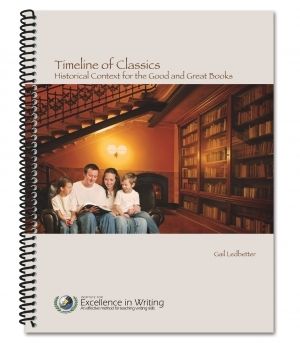
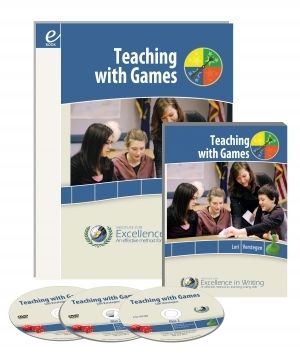
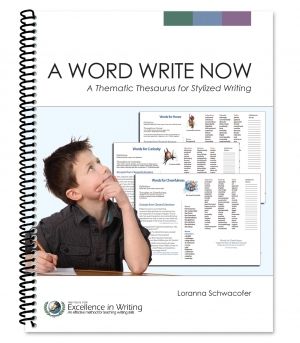
Institute for Excellence in Writing is well-known for its writing programs, but it has other resources as well. I had the chance to use and review three of them: Timeline of Classics, Teaching with Games Set, and A Word Write Now.

Timeline of Classics

Of the three resources, the one I'm the most excited about is Timeline of Classics by Gail Ledbetter. This is a well-chosen book list of classic literature, biographies, the very best of historical fiction, and even plays and films, all arranged chronologically. It is divided by time period: Ancients, The Middle Ages, Renaissance and Reformation, and The Modern World. The pages are very simply laid out with just the right amount of information: a description of the time period and/or the setting, title, author, and the level each resource is appropriate for (Elementary, Middle, or High School). Each page also has an intriguing quote from one of the recommended books.

Since we are studying the Middle Ages right now, I turned to that section of the book. I could see at a glance which resources were appropriate for elementary school. I opened my library's website and started searching for and reserving the titles that sounded interesting: The Sword in the Tree; The Making of a KnightCastle Diary... I noticed a recommendation for a historical atlas, and thought, "Yes! I need to buy one of those." (I had just been trying to google historical maps online with very limited success.)


Any homeschooler that uses a literature based approach for history will appreciate this resource. It hits just the right balance of selectivity and comprehensiveness, and could easily be used as the basis of all your history studies on its own. I anticipate referencing it regularly for years to come.

Teaching with Games

The resource my boys were most excited about was the Teaching with Games Set. This parent/teacher resource includes two DVDs containing workshops led by Lori Verstegen on teaching with games, a spiral-bound book with rules and templates for all the games, and a CD-ROM with a PDF of the book and some bonus materials (extra games!). There are twenty games, most adaptable to any age group, many adaptable to more than one subject area. The games range from "No-Prep" games that require nothing more than a piece of paper (at the most), to matching games, Jeopardy-type question games, math games, and "Make as You Teach" games.

I was amused with the fascination this set held for my boys. It is a parent resource, but SA(7) spent hours poring over the instructions for the games, and JJ(5) immediately chose "The Space Game" (a home-made board game) as his favourite. They both watched the game demonstrations on the DVDs with me. We played several of the games, and as usual in this house, the math games got played the most.


"Fun Times" was a big hit, providing plenty of multiplication practice. I chose to make our own game board for this with multiplication facts between 1x1 and 6x6. (The original had multiplication facts from 2x5 to 7x10, and required modifying a pair of dice.) SA and I (or JJ, who soon figured out how to find the answers on the board based on the factors on the top and side...) took turns rolling the dice and multiplying the two numbers on the dice. We put our tokens on the answers, and the first person with four in a row was the winner. The game had some twists to add to its excitement...rolling doubles and landing on shaded squares on the board had special consequences.

Teaching with Games is a worthwhile resource that could be helpful to Sunday-school teachers and classroom teachers as well as homeschoolers. To be perfectly honest, I can be a bit lazy about coming up with games or activities to go with our studies. The boys were very pleased that I got to review this, and I'm sure they will keep me using it for some time to come.

A Word Write Now

The last resource I used was A Word Write Now. This student thesaurus by Loranna Schwacofer is creatively organized by character traits, descriptive words, and words for movement and the senses. The idea is that children do not always know exactly what word they are looking for. This thesaurus directs the student to a category of words and provides a range of ideas as to how they could express themselves using different parts of speech. Each page also includes examples from classic literature.

My boys are not old enough to use a thesaurus, so I used it myself. I often consult an online thesaurus as I blog, so I thought perhaps this one would do as well. It was not really a good fit for my purposes. My use of a thesaurus usually goes like this:
- I notice I'm overusing a word
- I type the word into a search engine
- I pick a better word from the synonyms that come up. 
I'm very task-oriented in my thesaurus use, in other words. This thesaurus is more oriented to creativity. It is all about exploring and enjoying words. I expect it will be very useful at some stage as my children learn to write, but we're not there yet.

If you are looking for a student thesaurus, I suggest you check out the samples online at Institute for Excellence in Writing and see if this is something that might work for you.

Other bloggers on the Schoolhouse Review Crew have reviewed these resources and also Phonetic Zoo Spelling from Institute for Excellence in Writing. Click on the link below to see what they have to say!

IEW Review

Crew Disclaimer

Thursday, October 1, 2015

Review: Middlebury Interactive Languages

Over the last couple of months, I have had the opportunity to use and review Elementary French 1, Grades K-2 from Middlebury Interactive Languages.

 Middlebury Interactive Languages Review
This has been more of a challenge than you might think for me, because I know that you, my loyal readers, will be looking for an evaluation as to how this program lines up with Charlotte Mason's educational philosophy and methods. You will get it, but you should know that up till now I have not been a very good Charlotte Mason homeschooler when it comes to teaching foreign language. This is not because I do not agree with her methods. It is purely a matter of intimidation. I don't feel qualified to teach French. I know a fair amount of French from high school, but my accent is far from pure, and I wouldn't dare to actually speak French to a real French-speaking person. I have used and dropped one program with my children already, and have been half-heartedly searching for the perfect program. I say half-heartedly, because I know that once I find it, I will probably have to shell out quite a bit of money for it! Meanwhile, we have been choosing one theme and one French song per term, and watching YouTube videos once a week relating to that theme and song. Then came the opportunity to try Middlebury Interactive Languages.

The courses offered by Middlebury Interactive Languages are all online. They offer Spanish, French, German, and Chinese courses in elementary, middle school, and high school levels. These courses are an immersion approach to language learning using video and interactive multimedia. Elementary French 1 is a six-month subscription to twelve units containing six lessons each.  Units one through five and seven through eleven teach vocabulary based on themes such as greetings, numbers, family, colours and animals. Units six and twelve are review. At this level two to three lessons a week are recommended.

How does Middlebury Interactive Languages match up to Charlotte Mason's approach to language learning?

To begin with, I should stress that I am only reviewing level K-2, and so will only compare that with what Charlotte said about language learning for children under age nine. I have no idea whether higher levels of this program will match up in a similar way with Charlotte Mason's ideas for older children.

Immersion
Charlotte Mason believed that “French should be acquired as English is, not as a grammar, but as a living speech... "We must acquire a new language as a child acquires his mother tongue.” (Charlotte Mason, Home Education, pp. 300 and 302) While the lessons she describes are not at all like the lessons in Middlebury Interactive Languages, I think the immersion approach they take is an excellent application of this principle.

The immersion approach used in Elementary French 1 looks like this: each unit is built on a folk tale from a French-speaking country. In a video, children hear the entire story in French with animated pictures. Children take in the story directly from the French, understanding what they can from the pictures as they hear the story.

In addition, all instructions are recorded in French, though there is the option to hear them in English as well if you don't know what to do. Activities focus on matching the correct French word to the correct object rather than translating into English words, and children hear the words over and over as they do the activities. Each lesson also includes a pronunciation component, where children hear a word and then record it. (There is a version of this course that includes a teacher for an additional fee. I believe the recording is used more fully in that version for feedback. But even without a teacher, this is a great way to get otherwise reluctant children to actually say the words.)

Another part I love about this course is the emphasis on the fact that real people in real countries around the world speak French. The folk tales used highlight the different cultures of French-speaking people, and activities in lesson five of each unit give more information on the various cultures represented. "Living speech," indeed.
 Middlebury Interactive Languages Review


Hearing and Speaking before Reading and Writing
Charlotte Mason emphasized the importance of hearing (preferably in a native accent) and speaking a language first, before reading and writing and studying its grammar and spelling. “A child should never see French words in print until he has learned to say them with as much ease and readiness as if they were English,” said Charlotte, who considered a child's early attempts to read French words by English phonetics a chief cause of poor pronunciation.

In Elementary French 1, children do see the French words at the same time as they hear them. The words are included at the bottom of the screen on the videos, and are also part of the interactive lessons. This would not have been a disadvantage to my pre-reading children who crowded around whenever SA(7) was doing his French lessons. However, I noticed that it did affect the way SA(7) acquired the vocabulary. On the one hand, seeing the words made it easier for him to get the right answers in the activities. On the other hand, I found him doing things like pronouncing the number “sept” exactly the way it looks in English (like the beginning of “September” rather than like “set”.). I think Charlotte Mason was right on this. In this respect, this course would have been better for my three- and five-year-old boys crowded around than for the seven-year-old who was actually doing the lessons. SA(7) is naturally more visual than auditory in his learning, and seeing the words distracted him from the (for him) more difficult work of hearing and pronouncing that is so important as he begins to learn this new language.


Consistent Daily Lessons and Review
In the very early years (the earlier the better), Charlotte Mason recommends a relaxed, yet intentional and consistent daily French lesson incorporated naturally into the child's activities (for example, while playing outdoors). She recommends teaching a child a few, building up to about six new words every day. These lessons should not be random, but each one should build on previous lessons. Words learned should be incorporated into sentences and kept in daily use. “The child’s vocabulary should increase steadily, say, at the rate of half a dozen words a day. Think of fifteen hundred words in a year!” (Charlotte Mason, Home Education, p. 301)

Okay, I'm completely overwhelmed now, even though I have seen the incredible power of doing a little every day in other areas of my homeschool. I do have a slight tendency to throw in the towel and not do anything if I can't do it "right" (in this case, in the way Charlotte recommends). This is why I've been doing very little up to this point.

Elementary French 1 goes at a slower pace. With six lessons per unit, and perhaps ten new vocabulary words per unit (though all presented in the context of a story with many more words), the rate comes to an average of about five new words per week if you do three lessons per week. In our family, we began at the recommended pace, but now we have accelerated to daily lessons, mainly because SA(7) loves them so much.

Maybe some day I will reach for Charlotte Mason's ideal, but for now this pace is fast enough for us, and it's certainly much faster than I was going before.


One thing I would have liked to see is more regular review of previous words learned. Units six and twelve are review units, but I would have preferred simply adding a little bit of review to the end of each lesson instead.

I would also have liked to see the French songs always introduced in lesson five introduced earlier in the unit and repeated more often. Of course, knowing this now, I can always go directly to lesson five and play the song daily after each lesson we do.

Do I recommend Middlebury Interactive Languages Elementary French 1, K-2 for Charlotte Mason homeschoolers?

Yes, I think it is a very worthy option, especially for children who are not yet reading and will not be distracted by the printed word. You will have to navigate the lessons for them, as it is not set up to be navigated independently, even by a grade 2 child. I do not consider this a big drawback, as it keeps me actively participating in the lessons.

Some homeschoolers may find the cost of $119 per student to be an issue. While I believe the cost is reasonable based on the quality of the program, homeschooling families often live on a single income and spending this much on a subject that is not one of the "Three R's" can seem extravagant.

This is one program that we will continue to use until it is complete. If I find then that SA(7) is retaining what he has learned well, we may even consider buying the next semester despite our tight budget. I'll keep you posted!

For more reviews of Middlebury Interactive Languages, click on the link below.

 Middlebury Interactive Languages Review

Crew Disclaimer

Monday, June 1, 2015

Review: PianoWithWillie from JazzEdge

If you know me in real life, I know what you're thinking. What, Nelleke? Jazz? Edge? JazzEdge?
Yes, boring, classical, stick-in-the-mud Nelleke was learning some jazz piano. It was a lot like learning a new language, and it was fun!

I've been thinking for a while that I need to play the piano more often, especially as my children are growing. As the busyness of my family life has increased, I have played less and less. SA(6) is beginning to learn how to play the piano as well now. The thought has struck me that trying to teach him without first inspiring him by my own example would be a lot like teaching a child to read without ever having read aloud to him. And then the Schoolhouse Review Crew offered me a chance to try out Studio Access to PianoWithWillie from JazzEdge in exchange for my honest opinion. "This will be my catalyst," I thought.

PianoWithWillie is like an online piano teacher for the experienced piano student (JazzEdge has other programs for beginning students and younger children, such as Easy Piano Basics or HomeSchoolPiano). With a high speed internet connection, you can stream videos with a variety of "Foundational" (technique, rhythm, reading) or "Fun'dational" (songs and improvisations) lessons. Course materials and sheet music are also available for download.

Since it has been a while since I've played the piano regularly, and the whole world of jazz piano is new to me, I began to follow the "Piano Start" guide.

I downloaded and printed the course materials for the "30-Day Success Playbook" and began to go through them. I quickly realized that the first lessons were too easy for me, so I skipped ahead to Day 21 (with the teacher's permission, of course!). I easily sight-read all the music for the subsequent days, but began to realize that understanding all the complex chords would be a challenge.

I began to watch the video lessons corresponding to the days I found challenging. This is where I ran into trouble. We have "high speed internet," but we live in rural PEI where that doesn't mean much (Though I hadn't anticipated problems because Netflix and even YouTube work fine here.). Even with all the settings turned down to as basic as possible, the video lessons only streamed seconds at a time before stopping to load another few seconds. After chatting online with someone on the JazzEdge support team, I paused the videos for a few minutes to allow them to load more before playing. Even so, I could never get them to load more than three minutes at a time. Needless to say, this was extremely frustrating. I began to watch the videos while doing other things, just so the wait every couple of minutes wouldn't drive me completely crazy. Once I was done with the 30-Day Success Playbook and began to try other lessons, I realized that I did not have the same problem with all of the videos on the site. (My computer-tech husband tells me that they may have been recorded differently, and indeed, the videos that worked well for me did seem to be a bit older.)

Jazz was not a natural choice for me. However, I do like the complex chords and the clean sound of some jazz piano. And I found that PianoWithWillie is not at all limited to jazz, but has lessons on gospel music, pop/rock, blues, and even a bit of classical music! I spent the rest of my time on the "Fun'dational" side of the lessons, trying out different songs. I especially enjoyed "Precious Lord, Take My Hand." Having done that, I know I will need to dig into the more "Foundational" lessons to really get the most out of PianoWithWillie. I really want to learn more about chord formation now, and that's where I'll focus next.

SA said to me just last week, "Mama, I like the way it sounds when you play the piano." PianoWithWillie has done what I hoped it would --it has inspired me to play the piano regularly once again. And my children are listening. I am proud of how diligently SA is practicing his own piano lessons now, and I don't think it's unrelated to the fact that I have been practicing myself. I look forward to continuing to learn from PianoWithWillie.

For more reviews on PianoWithWillie and other JazzEdge products, click the link below:
JazzEdge Review
Crew Disclaimer

Tuesday, May 12, 2015

Review: Successful Homeschooling Made Easy

Once upon a time, a long time ago, I worked for a small company selling homeschool curriculum and resources. The owner of that company was a wise and experienced homeschool mom, and she loved to help new homeschoolers with their questions and concerns and curriculum choices. (She actually hired me so I could do some of the boring business stuff and she could focus more on helping people.) Many, many homeschoolers went from overwhelmed and fearful to encouraged and confident because of her counsel.

Every new homeschooler needs someone like that as they begin homeschooling, but not everyone has someone nearby to help. For those people, Stephanie Walmsley of Successful Homeschooling Made Easy has created an email course (titled the Successful Homeschooling Made Easy Course). This course is designed to help you figure out how to organize your days, choose curriculum, and still get the housework done from the moment you take your children out of school to homeschool them. Lessons are sent out weekly by email for six whole months. Each lesson includes an assignment to help you think through a certain aspect of homeschooling. It is recommended that you set aside some special time for yourself each week to work through the assignment.

"I just pulled my children out of school. What do I do now?"
I belong to a few Facebook homeschool support groups. Every once in a while, someone posts a question something like, "I just pulled my children from school. What do I do next?" Immediately, they are inundated with advice (sometimes conflicting) from fifty homeschoolers with varying levels of experience. The most common advice I see is, "De-school for a while to rediscover your children's interests and rebuild your relationships with them." While I agree with this advice, I realize at the same time that if I was in that situation, I would not have the confidence to follow it for more than a week or two. What do you mean, play games and read books together? Is it really okay to do no schoolwork at all during this time? Stephanie Walmsley takes this lack of confidence into consideration, and comes up with a brilliant plan in her very first lesson. She guides new homeschoolers through making a simple schedule or routine that will work for them, no matter what their style is, and has them include a time for two academic things only: literacy and math (the Three R's, in other words). Why is this so brilliant, you ask? Because she is giving you permission to relax while you figure things out, while at the same time giving you confidence that you are making progress in the basics. Add to this that she is helping you establish a good habit of daily work from the very beginning of your homeschooling journey.

Having laid a foundation for your homeschooling days, you now have the breathing room to ask and answer for yourself, one at a time, all the questions that need to be answered as you homeschool. The course guides you through this process, helping you work through:
Why am I homeschooling?
What do I hope to achieve by homeschooling?
How am I going to get everything done?
How will I keep from getting burnt out?
What homeschooling method will I choose for my family?
How will I choose my curriculum from the bewildering array of options available?
...and many more questions. These are just some of the issues you will begin to think about in just the first nine weeks of the course. (There are twenty-six weeks total.) Put together like this, the questions seem overwhelming, but since they are presented step by step from week to week, you will find you have the space not only to think these things through, but to begin to implement the answers you come up with.

Not Just for Newbies
Though I'm only in my second year of homeschooling, I consider myself a confident homeschooler. Having been homeschooled myself, and having had my hands on almost all of the curriculum choices available through my former job, I have already thought through many of the questions presented by this course. I know I am inexperienced, and I expect that I will learn as I go, and that I will adapt my methods as my circumstances change. However, I also believe I have found the basic educational philosophy and methods that I will stick to throughout my homeschooling career.

Having said that, I still found it helpful to work through this course (I worked through the first nine weeks for this review.). Sometimes we need a reminder of why we're doing this in the first place. It doesn't hurt to think things through once again, and it's always good to learn from the experience of those who have gone before. For that reason, I highly recommend the Successful Homeschooling Made Easy Course, not only to new homeschoolers, but also to those who have been homeschooling for a while. Particularly if you are feeling burnt out or less than confident in any area of homeschooling, you will be benefited by this course.

Stephanie Walmsley has other courses on her website as well, and having seen the quality of this one, I find myself quite curious about her Charlotte Mason Made Easy Course.

To see more reviews of the Successful Homeschooling Made Easy Course, click on the banner below:


Saturday, May 2, 2015

Review: A+ Interactive Math

My six-year-old son, SA, loves math and does very well with it. My joy and challenge as a homeschool mom has always been not to kill that love of math, but to nurture it and help it grow. We are currently working through second grade math using a program that emphasizes mastery of mathematical concepts. We supplement with a variety of math activities and games. We are moving along smoothly and steadily, but at the back of my mind I'm always wondering...is he being challenged enough? He never seems to find any of it hard. I believe that part of the value of learning math is learning persistence and stick-to-itiveness through problems that seem hard at first, but become clear as you work away at them. SA is not really having that experience, and I'm not sure how much it matters. (Don't be envious of me if your children don't like math. We all have our own challenges and our own joys in homeschooling, don't we? And clearly I'm still finding something to worry about...)

When I first saw the opportunity to use and review A+ Interactive Math Adaptive Placement Test and Individualized Lesson Plan, an idea began to form in my mind. This combination of mini tests and lesson plans at specific grade levels promised to "identify and close" gaps in math learning within an intensive three-month period. What if we could just zip through second grade math, skipping the parts that SA already knew, and focusing on what still needed to be learned? Then we would just pick up and start third grade math at the beginning of next school year, and maybe, just maybe, he would finally be challenged.

That was the theory.

In practice, it didn't quite work out the way I hoped it would...


What are the Adaptive Placement Test and Individualized Lesson Plan?

The Adaptive Placement Test and Individualized Lesson plan are offered by A+ Interactive Math as a three-month online subscription for up to ten students. You choose the grade level to test your children at (usually the grade level they've just completed), and they then take a series of mini tests. If they pass the tests, great, they're at grade level. For any tests they don't pass, students can go on and follow an individualized lesson plan which teaches the concepts they missed. Students can also practice with online worksheets.Then, when they're ready, they can retake the tests.


How did we use the Adaptive Placement Test and Individualized Lesson Plan?

SA spent the first few days working on some of the mini tests for second grade math. Working on his own, he passed the number sense test, then failed the addition test. I thought that was odd, since he always gets 100% of his addition questions right when working in his regular math workbook. I knew for sure that he didn't have a gap in that area. The next day, I told him to retake the test, and and sat down with him to see what the problem might be.

Left to Right, or Right to Left? The Direction Problem
The problem was one that would be an issue with any math done on the computer rather than on paper. Typically, addition problems are solved from right to left. First, you figure out the ones, you carry any tens, you add the tens, you carry the hundreds, then add the hundreds, etc. The problem is, data is entered into a computer from left to right. First you enter the hundreds, then the tens, then the ones. So when a young child confronts an addition problem (especially one that involves carrying) on the computer, they can do one of two things:

1. Write it down, figure it out on paper, then enter the answer into the computer. (And I ask...If we're going to write it all out on paper, what is the benefit of doing math on the computer, anyway?)

2. Figure out the ones in your head, hold that number in your mind, carry the tens and add them, hold that number in your mind, carry the hundreds and add the hundreds. Type in the hundreds. Type in the tens (if you remember, otherwise figure them out again). Type in the ones (again, if you remember, otherwise figure them out again.).

Obviously, either option has more opportunity for error than figuring out addition problems on a math worksheet, whether during transcription, or whether during the "holding it in your mind" stage.

My son (whose fine motor skills are admittedly slightly delayed...he prints neatly, but not with grace and ease yet) will always choose option #2 if he can. Add to this the fact that the Adaptive Placement Test saves all your previous answers and they pop up when you start typing (for example, if you had a previous answer that was 255, and the current answer is 241, the number 255 will pop up as soon as you type in the 2), and it was no wonder he was making mistakes. (It was quite amazing to me that he was getting so many right, actually!)

Of greater concern to me is the fact that solving problems backwards in this convoluted way becomes a habit if it is done regularly. I don't want that to happen, and so I'm giving serious consideration to never doing math on the computer (at least in this early elementary stage) unless a program has addressed this issue in some way.

In any case, I made sure SA had a pencil and paper the next time he took the test and insisted he write things down if they were at all complicated. He still chose to write very little down, but passed the test.

The Individualized Lesson Plan

Next, SA went on to the subtraction mini-test, and failed it. I realized that a similar thing could have happened, but thought I'd sit beside him on his second attempt just to make sure. It turned out he did have a gap in his understanding. He was having trouble with borrowing when there was a "0" in the tens place.

The next day, we opened up the Individualized Lesson Plan. I was a bit surprised to see a whole series of nineteen lessons on subtraction waiting for us, but realized that this might be helpful for some since a lot of the knowledge builds on previous knowledge. The trouble was, we had a very hard time finding the particular lesson we needed...the one that specifically addressed borrowing when there is zero to borrow from in the tens place. We watched several lessons trying to find it. SA did not enjoy this at all, since he is a child that really dislikes too much explanation when he already understands something. Finally, we gave up for the day. We did find it on a later day. It was the third question in the second-last lesson offered. By then I had already explained it myself to SA.

Based on this experience, I felt that the Individualized Lesson Plan was not individualized enough. It was individualized in a broad sense...if a student failed a mini test on subtraction, that student got access to all the lessons on subtraction. I would have liked to see lessons highlighted that dealt with the specific issues the student had within the mini test.

The Terminology Problem

By this time, I'd learned my lesson. I sat with SA while he did the tests from then on so I could assess myself where his gaps were. There were several instances where SA simply did not understand the terminology in the questions. For example, in the Elementary Algebra test there was a question that asked, "What is the common ratio in this number pattern? 1, 2, 4, 8, 16" Once I told him what "common ratio" meant, he figured out the answer immediately. This problem actually came up quite a bit, so I know I need to work on making sure he knows the proper terminology of what he's doing. At the same time, I think terminology is less important than understanding the concepts and being able to solve problems. (I am reminded of a math program I went through when I was a child that had me do a lot of labeling of math problems with the proper terms: a subtraction problem would be labeled minuend, subtrahend, difference. I still don't know why that was considered so important...)


What We Enjoyed

I asked SA if he enjoyed anything about the Adaptive Placement Test and Interactive Lesson Plan. He mentioned three things. He really enjoyed the Elementary Algebra mini test, because the problems were of the sort he likes to figure out. He also liked the Progress Report (and indeed, I found him looking at it quite often.). Finally, he liked the Interactive Q&A in the lesson plan. (I think this had to do with a frog that hops across the screen to collect your answer.)


Did the Adaptive Placement Test and Individualized Lesson Plan Work for us?

The answer is...sort of. It worked when I sat next to him and assessed for myself where he had gaps. It didn't work the way I envisioned, and I think perhaps it would work better for older grades than younger grades. I can also see it being useful if a parent is beginning to homeschool and has no idea where their child is at in math. Even in that case, I think parents should sit with their children (or review their answers afterwards, which is also possible with this program), clarifying why they got the answers they did and getting a clear picture of where the child's gaps really are.

We did not complete all the tests, and now that our review period is over, we will not be continuing with it. I also should mention here that the quality of the website was not excellent, and that may have helped to undermine my confidence in the program as a whole. There were numerous minor glitches in the programming. SA figured out pretty quickly that pressing the enter key restarted the timer if he was running out of time on a question. Occasionally the review of a test would not accurately reflect what had been done (saying a problem had not been attempted, for example), though the final score would be correct. I saw several spelling errors and typos ("litter" instead of "liter", for one...though of course as a Canadian I would have liked "litre" even better. *smile*).

And my original idea? The one about moving quickly through second grade? I've thought more about it, and realized that if SA has mastered a concept, we can move on. We are free to skip problems in his regular math book if he doesn't need all the practice. We can move on to concepts he doesn't understand yet and work through them instead. That's something I should have known all along. Now I've thought it through and decided to do it, so that's one good thing that's come out of reviewing A+ Interactive Math.

To find out what other Crew members had to say about A+ Interactive Math, click on the banner below.

Tuesday, March 24, 2015

Review: Lord Heritage HomeSchool Office

As a busy mom of four, three of whom are preschool age, I know how important a plan is in getting homeschooling done. So far, I have always made these plans on my own, on paper, and that has worked well for me. Last month, The Schoolhouse Review Crew offered me an opportunity to use and review a web-based program from Lord Heritage called HomeSchool Office. This program is an all-in-one solution for homeschool planning, organizing, keeping track, recording marks, and reporting. I mainly used the planning and organizing sections of the program. My province does not require me to report to them (except for intent to homeschool), so I did not need to use the reporting aspect of HomeSchool Office.

The layout of HomeSchool Office reminded me a lot of the office management programs I used back when I was a working girl. As with those programs, there are tabs across the top with the main tasks you can do with the program. First, you set up your team (enter all the people involved in your homeschool), then, you follow the "POWER" acronym to Plan, Order, Work, Evaluate, and Report.

Team: This is where you enter all the people involved in your homeschool: the teachers (you and anyone else you use for specific subjects), the school district you report to, the students, and anyone else. This information is mainly for the reports the program can generate, but even if you don't use that feature, you do need to enter your students so you can manage their subjects and lessons. 

Plan: This is where you enter your subjects by student, your lessons, your school year plan, and your master schedule. You can also enter individual projects and keep track of your budget, though I didn't use those features. It was in entering the subjects that I realized that homeschooling the Charlotte Mason way might be a bit of a drawback with this program...with only one student in grade one, I had to enter thirteen subjects to cover the "feast of ideas" that I try to offer in our homeschool!

After entering the subjects, I began to enter the individual lessons for each subject. This was a huge project, and I quickly realized that this was a task I would need to do weekly rather than all at once at the beginning of the term. But I was beginning to wonder if all this data entry was a wise use of my time, or if it was adding a step that didn't need to be there. 

Next, I filled in my Master Schedule. This, finally, was akin to my normal planning habits. It allowed me to enter my normal weekly homeschooling routine. My Charlotte Mason-style short lessons (mostly 5-15 minutes, since SA is six years old) make it impossible to read what my schedule is here, but the purpose of this screen is to populate the "Order" and "Work" calendars in the program, which are much more readable. I also had to enter the lessons at specific times, though my usual way of working is more of an order and routine rather than a schedule. (I do certain things after breakfast, and other things between teatime and lunch. Tying my homeschooling to-do list strictly to a clock with babies and preschoolers in the house is a recipe for feeling like a failure, in my experience...) However, it put my lessons in order, and I could work with it.

Order: This is the screen for the day-to-day management of your schedule. The program automatically filled in the information I had entered under Plan, including my school year, my subjects, and my lessons. I also appreciated the simple "To do List," where I could add reminders to myself of things to do and cross them off.

I discovered that I could click on any subject on the calendar and add notes, pull the lesson forward or push it back, skip it, or mark it complete. I also had the option of adding a reminder to myself (This would appear on the home page when I log in.)


Work: This screen looks and works exactly the same as the "Order" screen, and the idea is that you can give your student access to it. I thought it was redundant, and suspected that perhaps it was there so the acronym "POWER" would have a "W" in it. :)

Evaluate: This is where you can enter grades and attendance for your students. This was a section that was not applicable to me, as I am not required to report to the school district here. Of course, I do evaluate SA on some level, but I don't assign grades, especially at this age. I know what he knows, and we work at his level, whatever that may be, until he really knows and understands (achieves an "A"?). So I didn't use this portion of the program.

Report: The report builder allows you to create reports for your local authority, if required, and it also can be used to create a professional-looking transcript. You choose which information to include on a report (things like goals, attendance, progress, subject hours). You can fill in your own starting and ending dates for each quarter, and then the program generates a beautiful, professional-looking report, which can be exported to Word and further edited according to your needs there. I think this might be one of the most valuable aspects of HomeSchool Office, if reports or transcripts are something you require.

Support
As with those most office management programs, there is a learning curve to using HomeSchool Office. I explored and figured most of it out by trial and error before I realized that there are tutorials for that! Clicking on "Support" offered a "Knowledge Base" with step-by-step instructions for how to use the program. Support also offered the chance to ask questions or suggest changes to the program. I was always very impressed with how quickly Jennifer Desautels, the author of the program, responded to my questions and suggestions. In one case, my suggestion was implemented immediately. In another, she showed me a way to work with the program that I hadn't noticed previously. In the third case, she engaged with me, and I felt she really listened to my suggestion for a future improvement to the program (I suggested the possibility of a one-page printable weekly checklist for students.).


And now we get to the bottom line. Will I keep using this program now that my review is done? And the answer is no, I probably won't. In this season of life and of homeschooling, the things I value most in planning are simplicity and efficiency. This program is more complex than I need, and the time it requires to enter lessons each week is more time than I have to devote to it. I have too many preschoolers around. :) So this program will not replace my trusty one-page weekly checklist and the simple schedule my current curriculum provides.

If you are required to report to your local authorities, or if you have older students and need to keep track of their grades, you may find this program helpful. You can sign up for a free 30-day trial at their website.

The thing I appreciated most about Lord Heritage was the feeling that I was working with a home-based business. I felt that Jennifer Desautels cared about making HomeSchool Office work for me, and I appreciated the customer support she offered in every interaction. Even though HomeSchool Office was not a good fit for me at this season of my life, I would consider it in the future as my needs change.

Click on the banner below to see what other reviewers have to say about HomeSchool Office!

HomeSchool Office Review


Crew Disclaimer

Friday, March 13, 2015

Review: Math Analogies Level 1

If you have read this blog for a while, you have probably noticed that we love math at our house. SA(6) is especially keen on it. And so when the Schoolhouse Review Crew gave me the opportunity to review some Math Analogies software from The Critical Thinking Co., I thought SA would probably have fun with it.


The Math Analogies come in three levels: Beginning (grades K-1), Level 1 (grades 2-3), and Level 2 (grades 4-5). They are available as Windows software or physical books. Since SA is in grade 2 in math, we chose Math Analogies Level 1. We received a Windows software download with 152 analogies to complete.

If you're not familiar with analogies in math, they basically take the form of "A is to a as B is to b, or A:a :: B:b." They help children learn problem solving skills. At this level, these analogies include problems in addition and subtraction, multiplication and fractions, telling time, geometry, measurement, and probability.

SA did his analogies several times a week during his daily "screen time." As I half expected from him given his affinity for math, he took to analogies intuitively and required little explanation. He did make a few mistakes, and these often had to do with American content: references to money, or to measurements such as miles and yards (as opposed to kilometers and meters). He got 87% on his first run-through. The program allows you to go through and try again on the problems you missed the first time, so he did that, and still missed two or three problems. Finally, he got them all correct on his third attempt. After this, since he was a bit frustrated with his initial 87% (What can I say? He is a typical oldest child.), he decided to restart the program and see if he could do better. This time he got 94%.

Analogies are a great exercise in problem solving. For SA(6), I do not think the Math Analogies Level 1 taught him a lot, as he seems to think this way fairly naturally. However, he did enjoy it very much as a "screen time" activity. I had to limit him to 25 problems a session, or he would have done them all at once! This is a great choice for a fun supplement to your math program. I know SA would definitely be interested in trying out the next level in the future. And I am happy with a screen time activity that's not just entertainment, but has some educational value.

Math Analogies Level 1 sells for $6.99 for a 2-computer license, or $13.99 for a 6-computer license. Once you have bought it, you can re-use it any number of times, whether with the same student, or with other students. You can find more information, including a software demo, at The Critical Thinking Co. website. You can also connect with them via Facebook, Google Plus, Twitter, or Pinterest.

Be sure to check out what the Schoolhouse Review Crew has to say about this and other products from The Critical Thinking Co.


Tuesday, December 16, 2014

Review: SchoolhouseTeachers.com Yearly Membership


If I have to choose between online resources and "real" books and curriculum, I tend to go for paper and ink every time. However, this attitude can be very limiting on a small budget! Even this early in my homeschooling journey (my oldest child is six), I have already found myself using inexpensive online resources more than I ever expected to.

I recently had an opportunity to explore SchoolhouseTeachers.com, an online subscription to a wide variety of curriculum, classes and resources offered by The Old Schoolhouse Magazine. One subscription for your entire family costs only $139 annually. There is also the option to subscribe monthly at $12.95, but having seen the breadth of the resources offered, I think the Yearly Membership is your best bet to do justice to it. (Scroll down for a special sale on from now until Christmas.) There are parent resources and curriculum for preschool all the way through high school, including over 100 courses ranging in length from a few weeks to an entire year. The subscription format allows you to use as much or as little of what is available on the site as you choose. Whether you use it as your core curriculum or as a supplement, whether you have one child or ten, the price is the same.

Of course, my eye was immediately caught by anything with Charlotte Mason's name on it! My first explorations took me to some Charlotte Mason preschool lesson plans. I was quite impressed. While not every activity included was strictly "Charlotte Mason," I felt the plans reflected Charlotte Mason's own priorities for the early years. The focus was on plenty of time outdoors based on a monthly nature study theme. Several quality picture books were suggested for each month, and a poem to read every day to encourage children to memorize it. I liked that the course did not include a lot of busywork and early academics. There are six months' worth of plans, and I look forward to following at least some of them with my four-year-old when we begin lessons again in January. (By the way, if you are one of those crafty moms and you love getting out the glitter and scissors with your preschoolers, there is plenty of that as well at schoolhouseteachers.com. I was just delighted to find something that fit my non-crafty style, too.)


Next, I read through a course for parents written by Cindy West entitled "Charlotte Mason Homeschooling: Adding a Charlotte Mason Touch to Your Homeschool." My feelings about this course were more mixed. On the plus side, it was very practical. It included many great ideas to get started doing narration, nature study, picture study, developing good habits, and everything else included in Charlotte Mason's methods. It could be a non-intimidating introduction to Charlotte Mason. However, the very thing that first attracted me to Charlotte Mason --the idea that what you believe about children and education (philosophy) matters, and works itself out in the practical (method) -- was nowhere in evidence. The fact that these educational methods and techniques have at their heart a belief that "Children are born persons" was not even hinted at. However, I would still recommend this course to homeschoolers, as long as you don't stop there, but go on to read the books recommended at the end of it!

Another resource Charlotte Mason homeschoolers will find helpful are the "Nature/Outdoors" lessons by Erin Dean. I am very excited about these! With 14 units to choose from, I will definitely be looking here for ideas for whatever nature study focus we happen to be working on throughout the year.

Since math is one of our favourite subjects, we also explored the Elementary Math section of the site. I watched one of the many videos by Dr. Peter Price on how to teach fractions, and then printed off worksheets for my sons: fractions for my six-year-old, and counting for my four-year-old, just so he wouldn't feel left out. Both boys enjoyed the lessons. I am very happy with the math program I'm working with now, but I can see myself using this as an occasional resource. There were monthly archived lessons since September 2012, and lessons are ongoing. The archives are also sorted by grade levels for parents' convenience.

I have hardly scratched the surface of what is available at SchoolhouseTeachers.com. If you homeschool, you will find something, (probably many somethings!) you can use here. Planners and recipes, monthly reading lists for parents and animated books for young readers, chemistry and creative writing, public speaking, home economics, and Hebrew... and there is so much more. Please check out the experiences other homeschoolers have had with with this resource to start to get an idea of how broad it really is.

If you're interested, SchoolhouseTeachers.com is having a Super Christmas Sale until Christmas day. They are offering 40% off the monthly membership (that makes it $7.77/month) or 50% off the Yearly Membership (now $64.26/year). If you join at this rate, any future renewals will go through at the same rate as long as you keep a continuous membership!

SchoolhouseTeachers.com Review

SchoolhouseTeachers.com Review

Crew Disclaimer